Estimates and invoices for the trades
Estimate.
Yes.
Paid.
Write the estimate at the job. When the client says yes, one tap makes the deposit invoice, and one more records the payment.
Coming to the App Store
Free for a month, then $29.99 once, a one-time purchase.
iOS and iPadOS 27.1 or later. iPhone and iPad. United States.
A sample business. Names, addresses and numbers are made up.
One water softener, from the estimate to paid.
Dana Martinez wants a softener put in: $2,400 with the equipment, $500 down, the rest on install day. These are the buttons you tap.
- Nov 2Send
You write estimate E-1042 at the kitchen table: the softener, the valve and the install. “Send” opens it in your own email.
$2,400.00 - Nov 3They said yes
Dana calls back and says yes. One tap records it, and the estimate prints “Accepted” with her name and the date.
Accepted - Nov 3Send deposit invoice $480.00Change amount
The estimate asks 20%. Dana wants to put $500 down, so you tap “Change amount”, type 500, and deposit invoice 1042-D opens in Send.
$500.00 - Nov 3Paid in full · ZelleOther payment
Her Zelle comes in. Zelle is the way you set up, so one tap records the whole $500.00. A check, or part of it, goes in “Other payment”.
Paid - Nov 6Invoice when done
Install day. Invoice 1042 takes the deposit off and asks for the rest, as a draft for you to check and send.
$1,900.00 - Nov 6Paid in full · ZelleSend receipt
Dana pays the rest. One tap records it, and “Send receipt” sends receipt 1042, paid in full.
$0.00 due
Want it signed? Get a signature hands the phone over for a finger signature. For sales at the client’s home, with your cancellation notice on the estimate, it comes first.
One job, four papers.
What Dana gets from you, numbered as one family: E-1042, 1042-D, 1042.
- Nov 2Estimate E-1042Accepted Nov 3, by phone$2,400.00
- Nov 3Invoice 1042-DThe deposit, $500 down$500.00
- Nov 6Invoice 1042The rest, with the deposit taken off$1,900.00
- Nov 6Receipt 1042Paid in full · Zelle$0.00 due
A service call, paid on the spot.
Fixed in 40 minutes, paid by Zelle before you leave. No estimate, no signature.
- Tap + and Paid now.
- Pick the client, add a line or two, and choose how they paid: Cash, Check, Zelle, Card link or Other.
- Make receipt makes the receipt and opens Send.
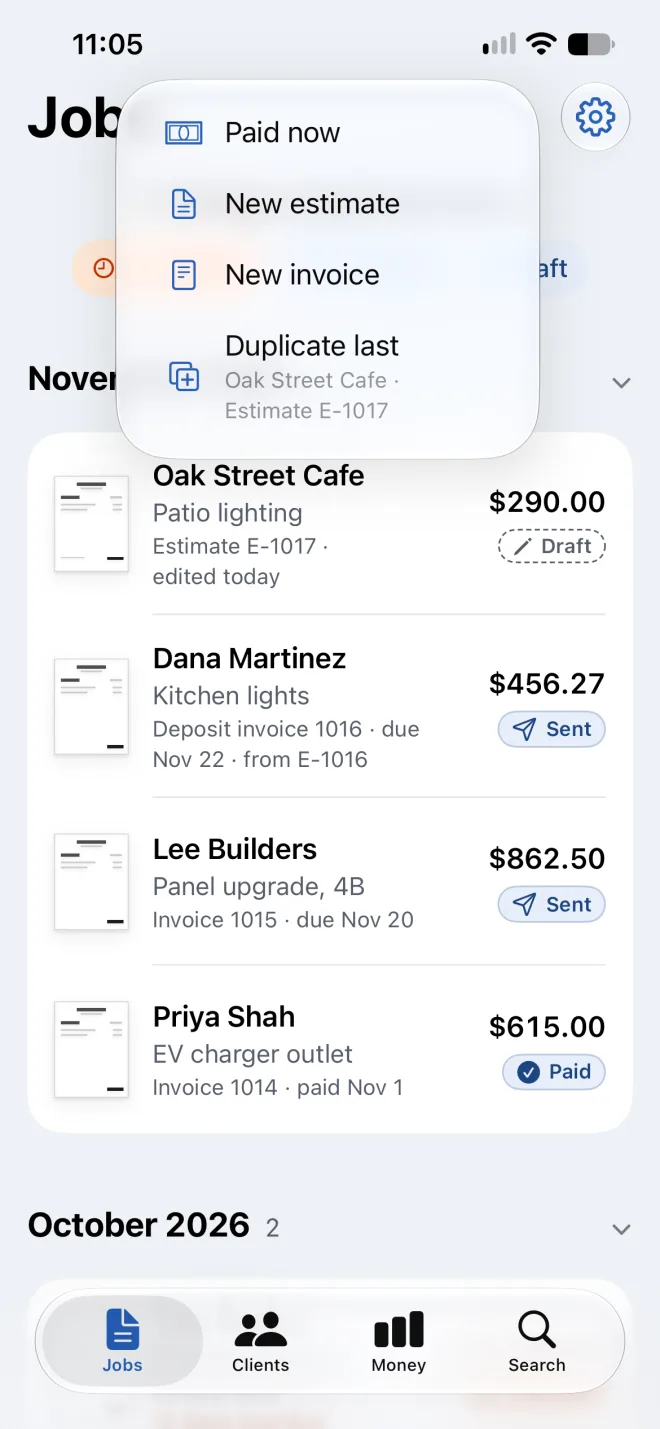
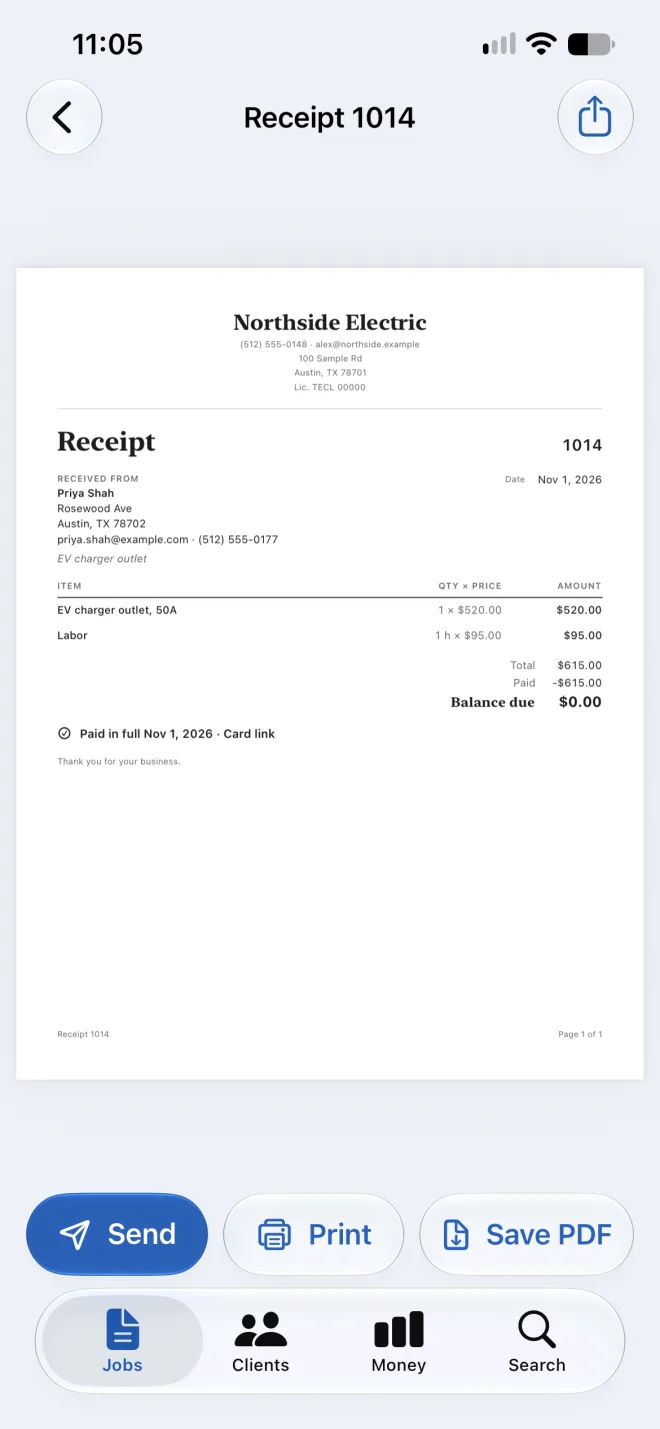
The same steps, in the app.
-
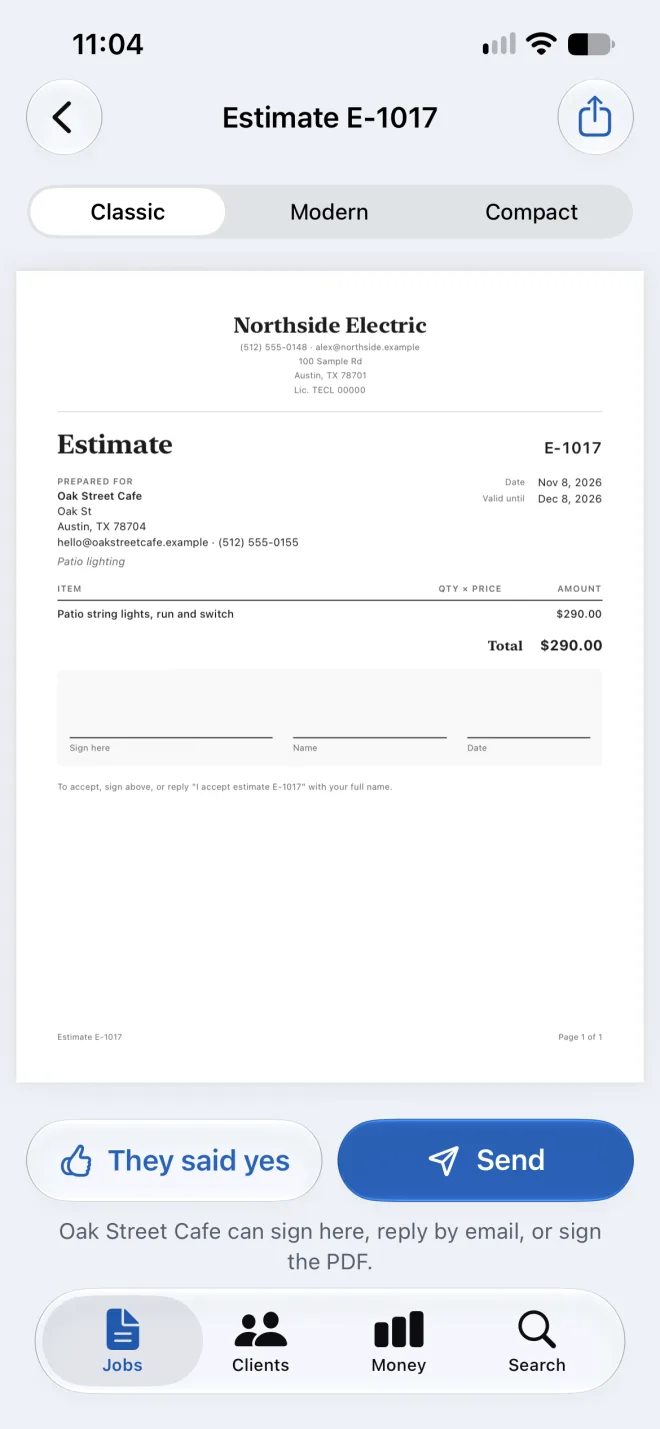
An estimate: “Send”, or “They said yes”. -
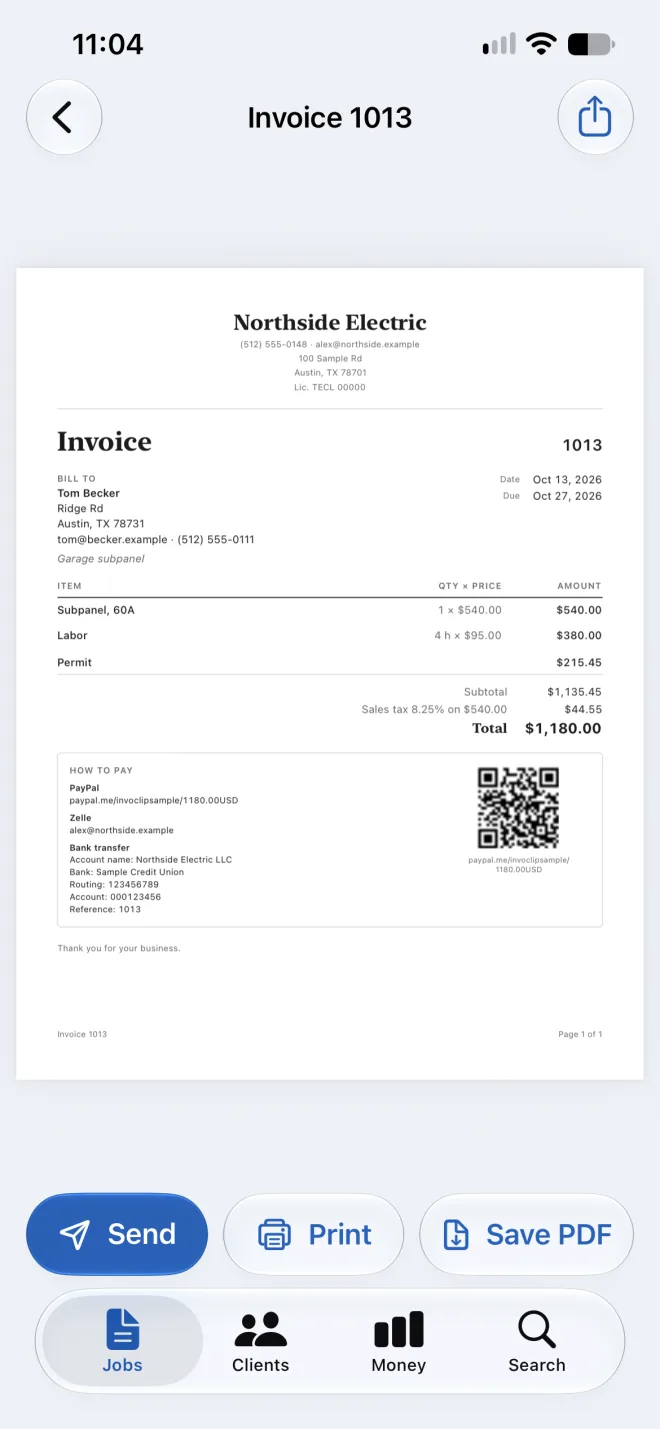
An invoice: how to pay is on the paper. -
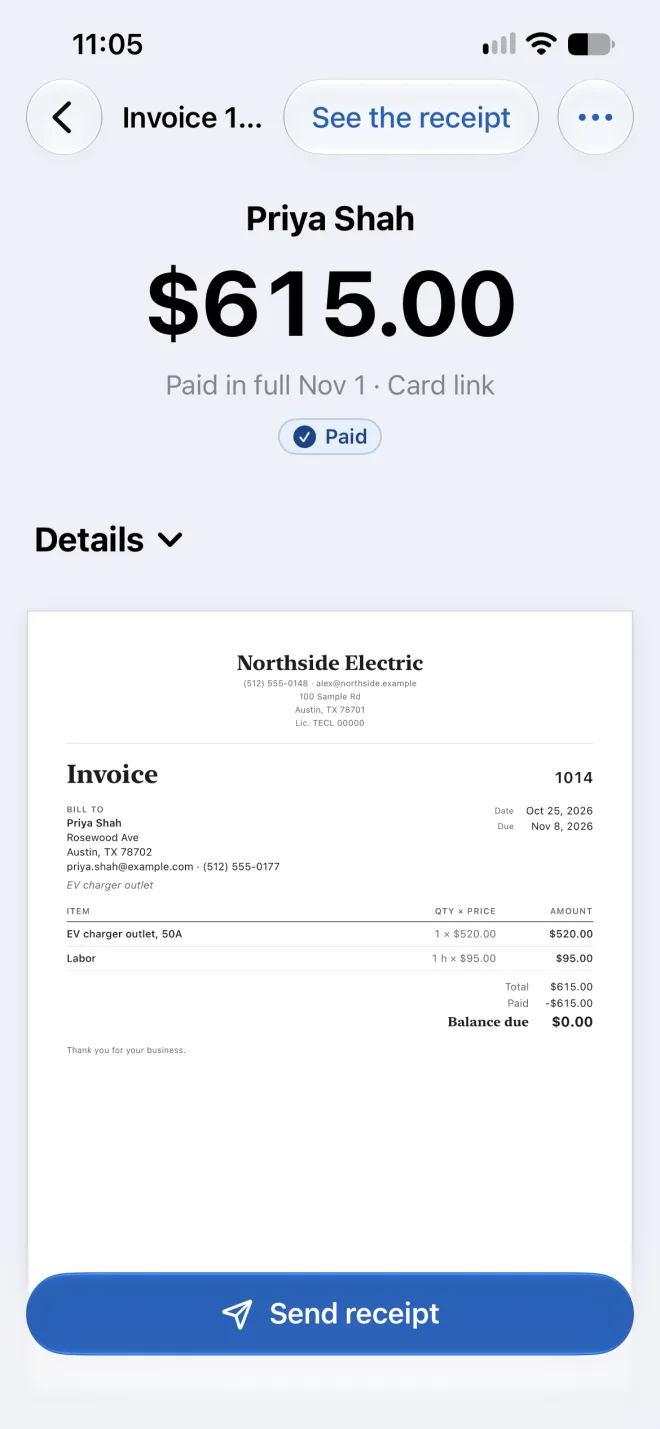
Paid: “Send receipt”.
Screens from the app on iPhone, with its own sample business.
Three facts
No account. No server.
Your records stay on your devices and in your own iCloud. The App Store privacy label reads “Data Not Collected”.
Where your records liveYour email. Your way to be paid.
Papers go out from your own email. Your Zelle, card link or bank details print on the invoice. Invoclip never touches money.
How clients pay youAsked when it’s needed.
Setup is one screen: the business name and phone. Sales tax is asked on the first line, how clients pay on the first invoice.
What setup asksWhat the month and the purchase cover
- The first 30 days
- Unlimited estimates, deposits, invoices and receipts. The month starts with your first document. There is nothing to sign up for.
- After the month
- Making new documents needs the one-time purchase, for iPhone and iPad on the same Apple Account. No subscription. Nothing is charged on its own.
- Always yours
- Every document you made, to read, print and send again, and payments can still be recorded.